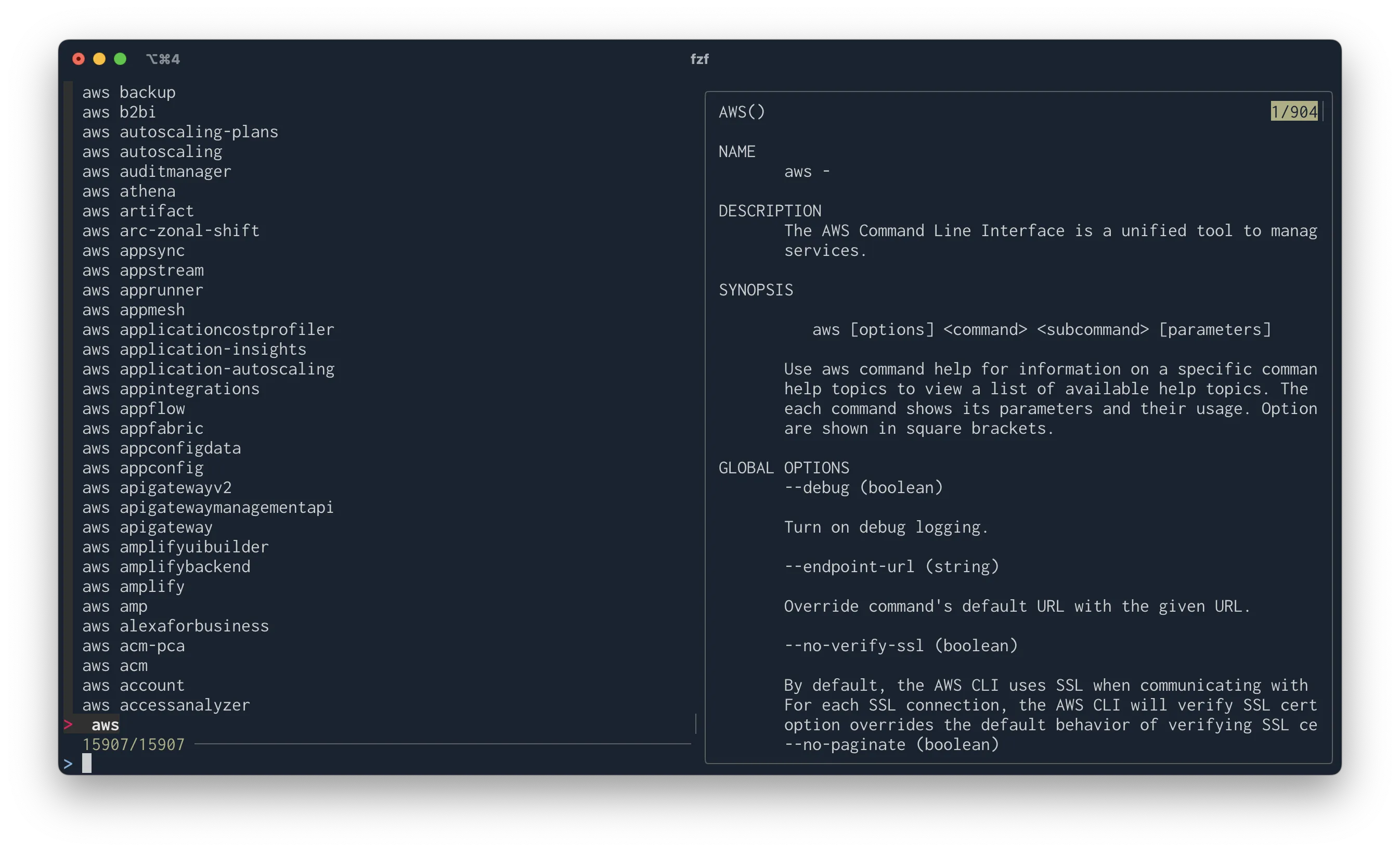
Using fzf with the AWS CLI

I’ve been using fzf with the AWS CLI to
quickly find the commands that I want to run. I recently upgraded to the
latest version (0.52.1 as of this writing), and quite a few things changed
from the old version I was previously using so I wanted to document
how I got it all working again.
A few things to keep in mind about my setup:
- I’m running on macOS
- I use bash as my shell
- I’m using AWS CLI v2, installed with the official pkg installer
- We’re relying on a feature that’s not officially documented or supported (but hasn’t changed since v2 was released). This might not work in the future.
First, make sure you’ve got both fzf and the AWS CLI v2 installed.
All the configuration we need to add will be in our ~/.bashrc file.
The first thing we’ll do is create a function that lists all the available
commands in the AWS CLI. We’re using an internal sqlite index that the AWS
CLI uses for its own auto-completer.
all-aws-commands() {
  sqlite3 /usr/local/aws-cli/awscli/data/ac.index \
    'select parent, command from command_table
     order by parent' -tabs | tr '.\t' ' '
}
Then we’ll create a function that uses this with fzf:
fzf_aws_cli() {
  all-aws-commands | fzf --bind 'ctrl-z:ignore' --preview 'eval {} help'
}
And finally, we’ll create a key binding to automatically trigger this behavior.
I originally used Ctrl-e as my key binding, but found that fzf now relies on
this being the default “go to end of line” behavior. I’m now binding this
trigger to Ctrl-], which I now like even better. Still in our
~/.bashrc file, now add:
bind -m emacs-standard '"\C-]": " \C-b\C-k \C-u`fzf_aws_cli`\e\C-e\er\C-a\C-y\C-h\C-e\e \C-y\ey\C-x\C-x\C-f"'
# For vi modes toggle to emacs mode, run the \C-] binding, then switch back.
bind -m vi-command '"\C-]": "\C-z\C-]\C-z"'
bind -m vi-insert '"\C-]": "\C-z\C-]\C-z"'
If you want to change the binding, change the "\C-]" part to whatever you
want. The \C part denotes the Ctrl key.
Now, open a new shell or source ~/.bashrc, and you should be able to press
Ctrl-] and see a list of AWS CLI commands you have available, and
Shift-Down to scroll in the preview pane.